Catch media problems before delivery
Playhead runs an on-device Media Check, explains what needs attention, and keeps the technical evidence one tap away.
Get Playhead, $0.99 macOS 14 or later, iOS 17 or later. One payment, no subscription.
Playhead runs an on-device Media Check, explains what needs attention, and keeps the technical evidence one tap away.
Get Playhead, $0.99 macOS 14 or later, iOS 17 or later. One payment, no subscription.Playhead checks playback, file integrity, delivery concerns, track coverage, HDR signaling, and private photo metadata. Every issue includes an explanation and a practical next step.
Run the built-in Sample Audit to compare one ready file with one deliberately problematic file, without granting file access or finding a test clip first.
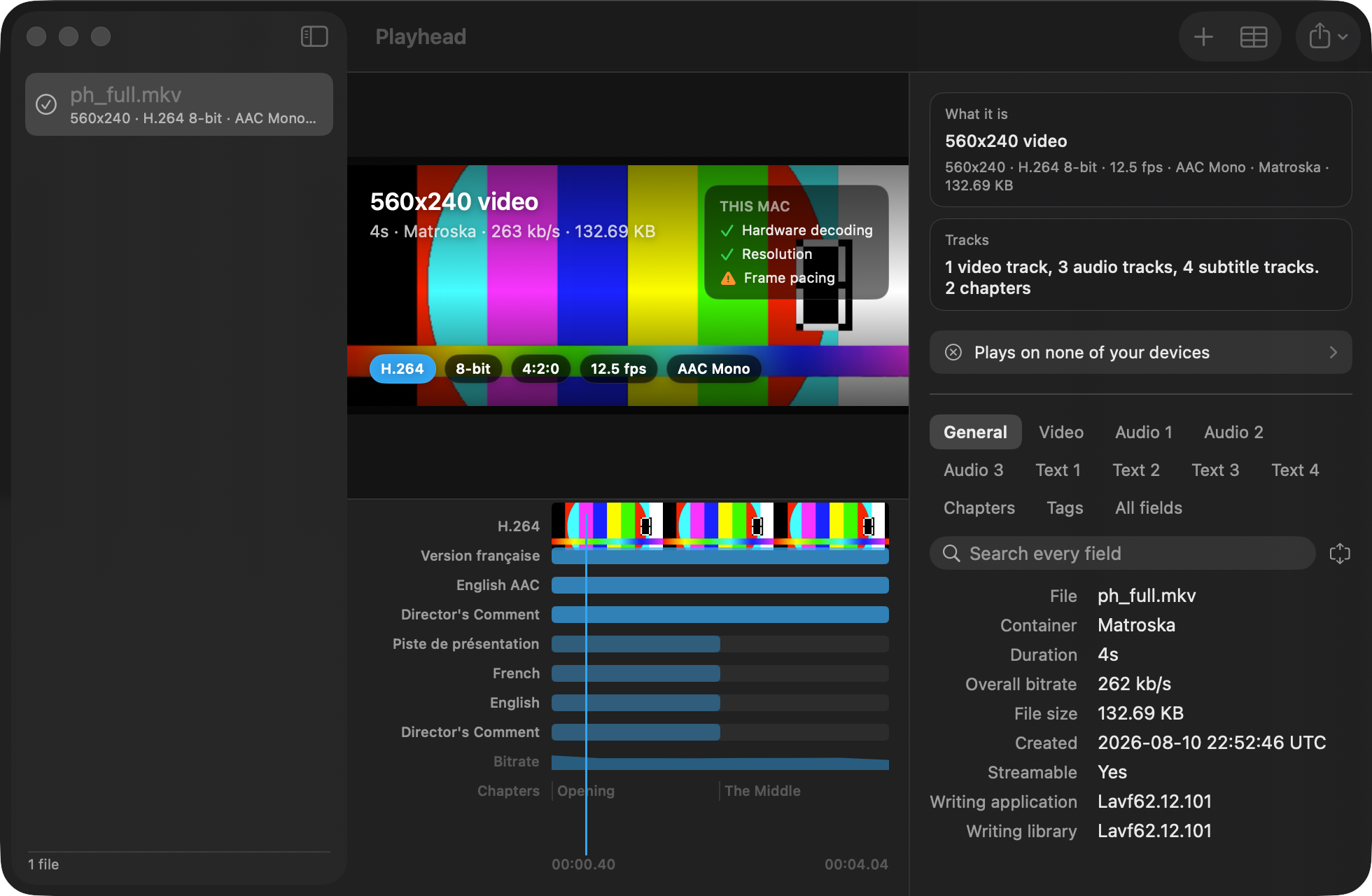
A list tells you a film has twelve subtitle tracks. It cannot tell you that one of them appears for ninety seconds in the middle, which is what a forced narrative track looks like, or that the second audio track stops at the credits.
Playhead lays every track on one clock: the picture as a filmstrip, each sound track named by its own title, each subtitle track drawn where it actually appears.
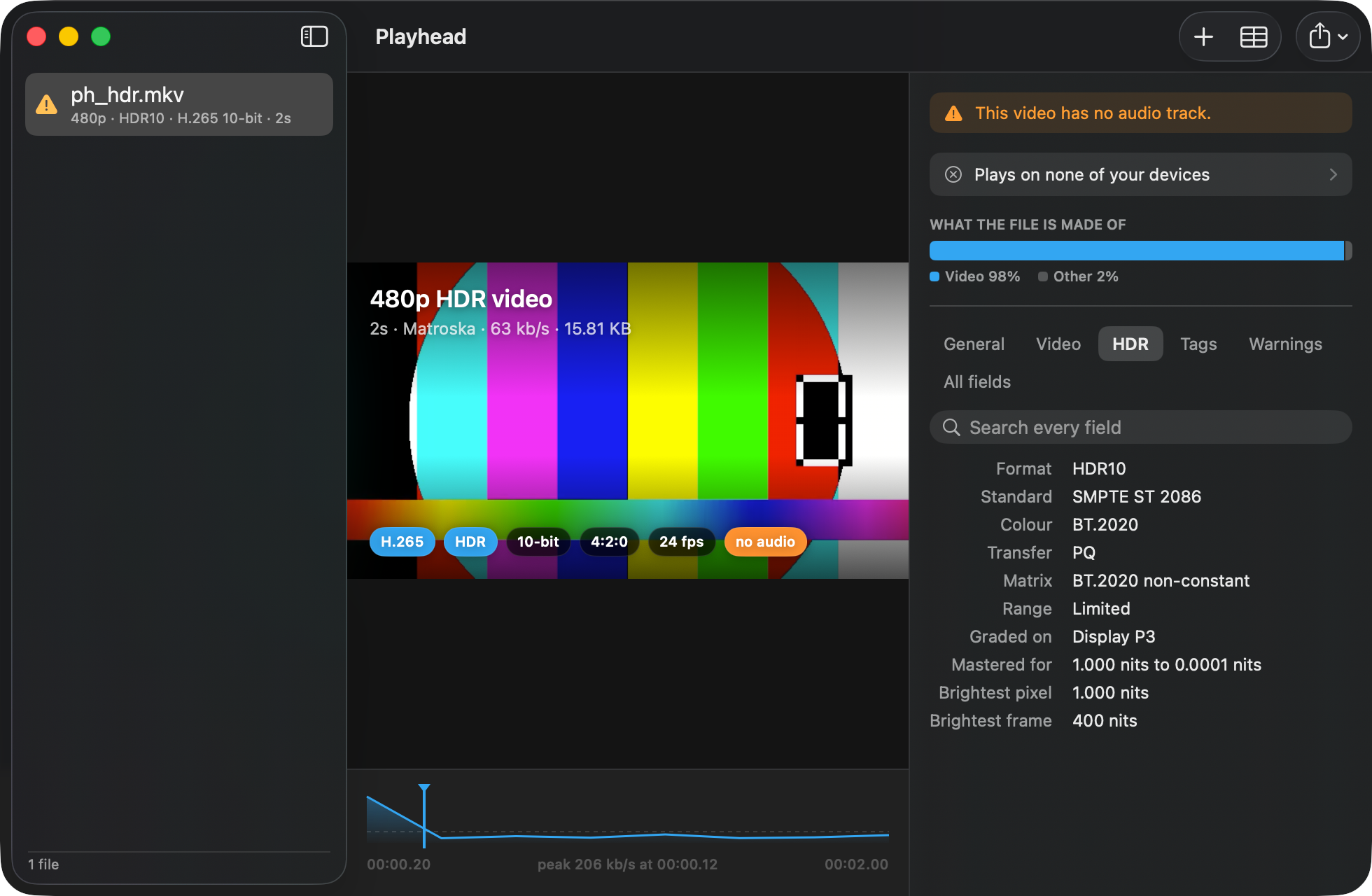
Most tools report the format as "SMPTE ST 2086" and leave the name you recognise in a different field. Playhead leads with HDR10 or Dolby Vision, says what a player without it falls back to, and turns the mastering data into brightness you can read: the monitor it was graded on, the brightest pixel, the brightest frame.
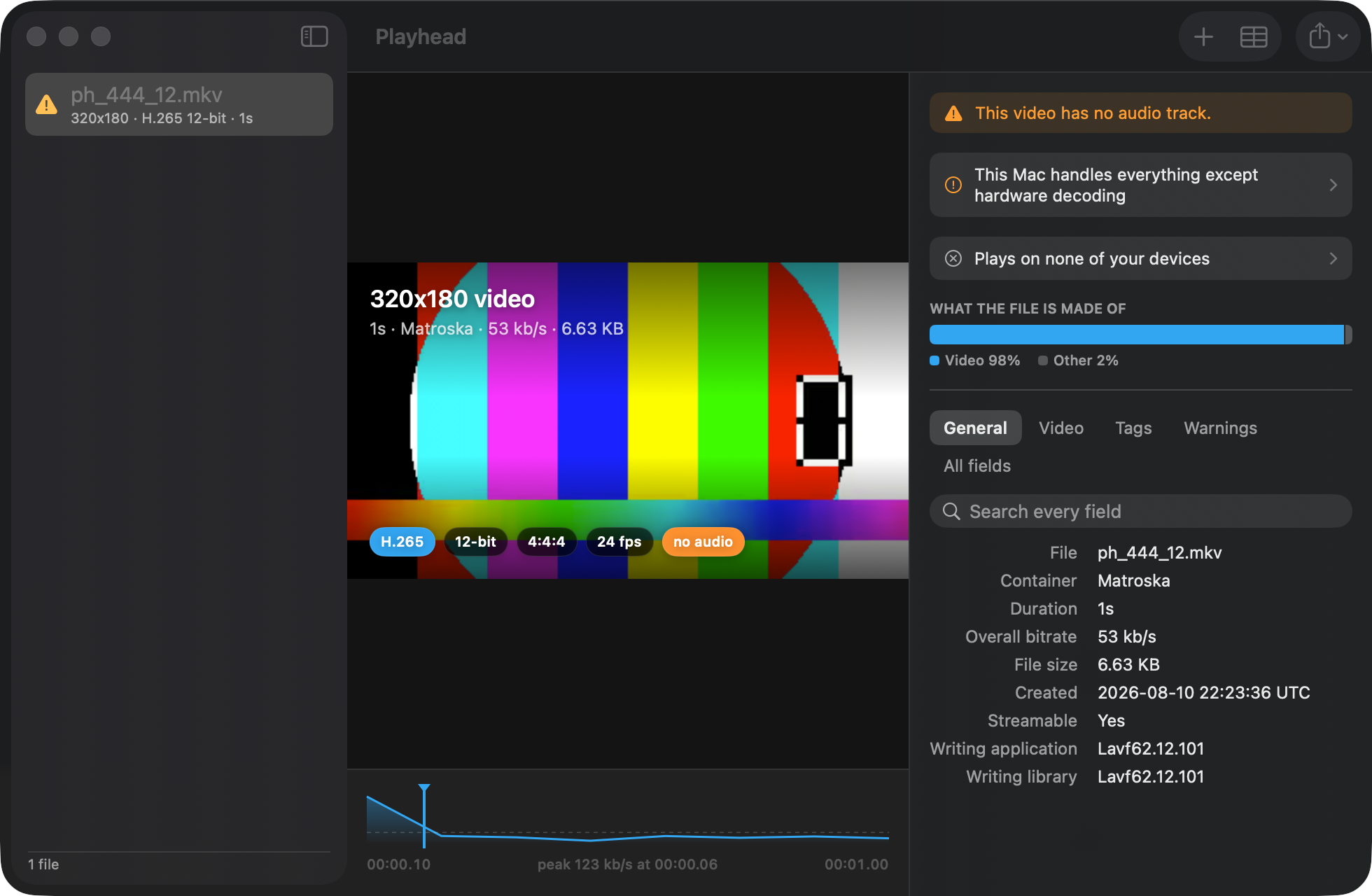
Other tools guess from rules like "10-bit 4:2:2 usually lacks hardware decoding". Rules like that are wrong on some machines the day they are written.
Playhead hands your file's own codec configuration to VideoToolbox and asks your Mac directly, so the answer accounts for the exact profile, depth and chroma in front of you. It also checks the frame rate against your display's refresh rate, and whether your screen can actually show HDR.
Open a JPEG, HEIC or raw file and Playhead reads the camera, the lens, the shutter, the aperture and the ISO, along with the copyright and caption fields.
If the photo still carries the coordinates of where it was taken, Playhead says so plainly, before you share it with anyone.
See meaningful track, HDR, compatibility, warning, size, and bitrate changes before the raw field differences.
One search covers the whole file, not the tab you happen to have open.
Any value, any field, a one-line summary, or a full plain-text report for a forum post.
JSON, XML, EBUCore, CSV, Markdown and plain text.
Press space on a Matroska file in Finder and see what is inside it.
Inspect with Playhead, without opening the app first.
Share a video from Files and get the answer without leaving the sheet.
The curated groups are a convenience. The complete set is one tab away.
Playhead reads files on your Mac or iPhone and does nothing else. No account, no telemetry, no network requests, no analytics. Your media never leaves the machine it is already on, because there is no server for it to go to.
Matroska, MP4, QuickTime, WebM, AVI, MPEG-TS, Ogg, FLAC, WAV, MP3 and many more, plus still images including JPEG, PNG, HEIC, TIFF and raw files. Frames are extracted for H.264, H.265, AV1, VP8 and VP9.
No. Playhead opens files read only and never writes to them.
Yes. Playhead is a universal purchase, so buying it once covers your Mac, iPhone and iPad.
It does not rely on the system's media stack alone. It bundles the same open-source libraries used across the industry to read containers and demux streams, then hands decoding back to Apple's own hardware decoder.
No. It never makes one.
One payment. Mac, iPhone and iPad. Nothing leaves your device.
Coming soon to the App Store $0.99, universal purchase