Your library. Your device.

Your music, offline.

No subscription. No streaming. No account. Just your MP3, AAC, ALAC, FLAC, WAV, AIFF, and Opus library, played beautifully on iPhone and iPad.

Version 1.0 is available now for iPhone and iPad.
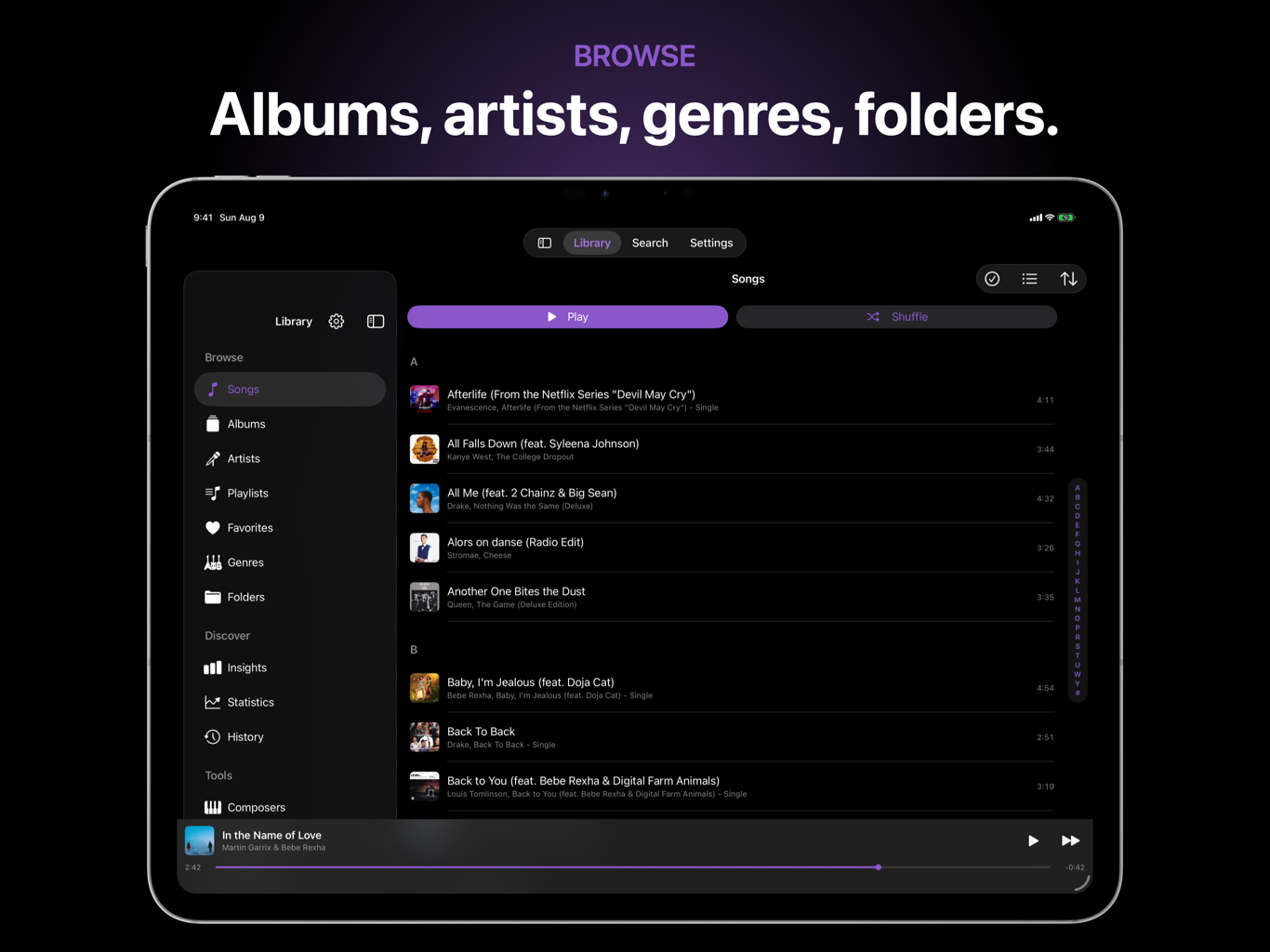
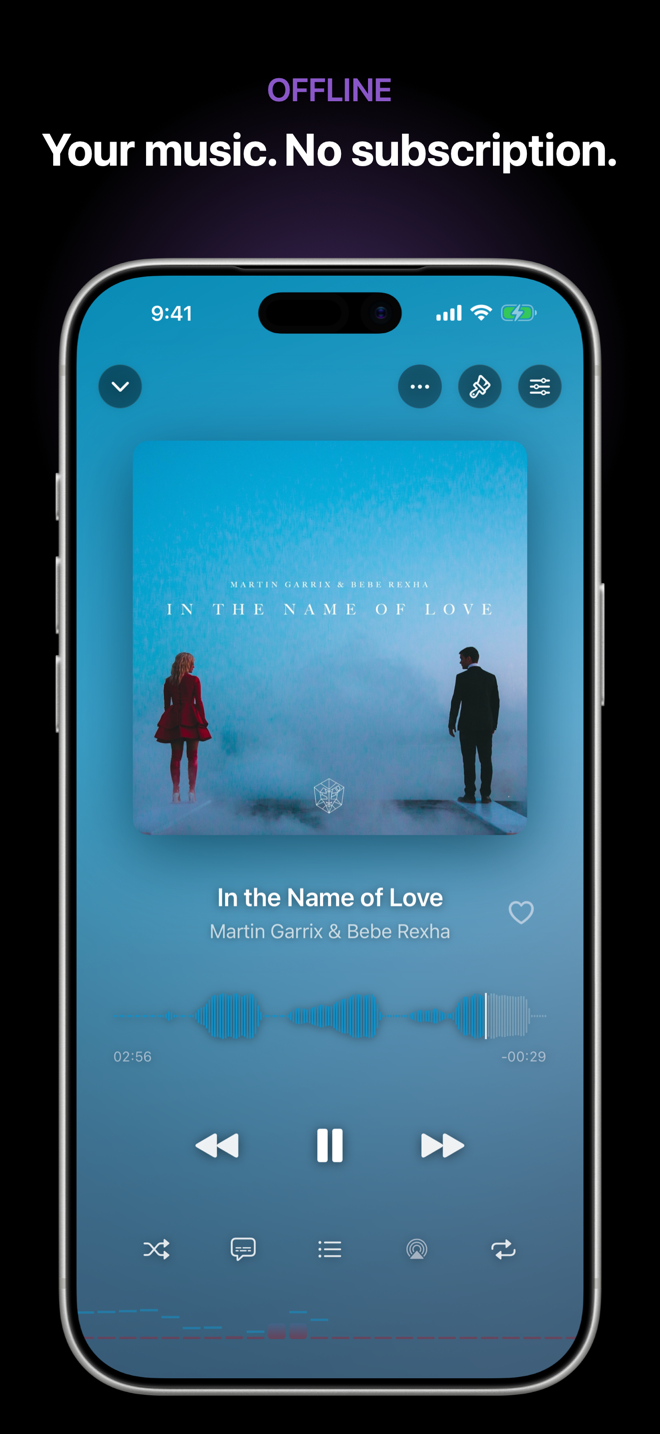
Corvus Music Player library on iPadCorvus Music Player Now Playing on iPhone
Private by designNo analytics, telemetry, or account.
Made for both screensPurpose-built layouts for iPhone and iPad.
Built for music you ownYour files stay available without a connection.

A real music library, at home on every screen.

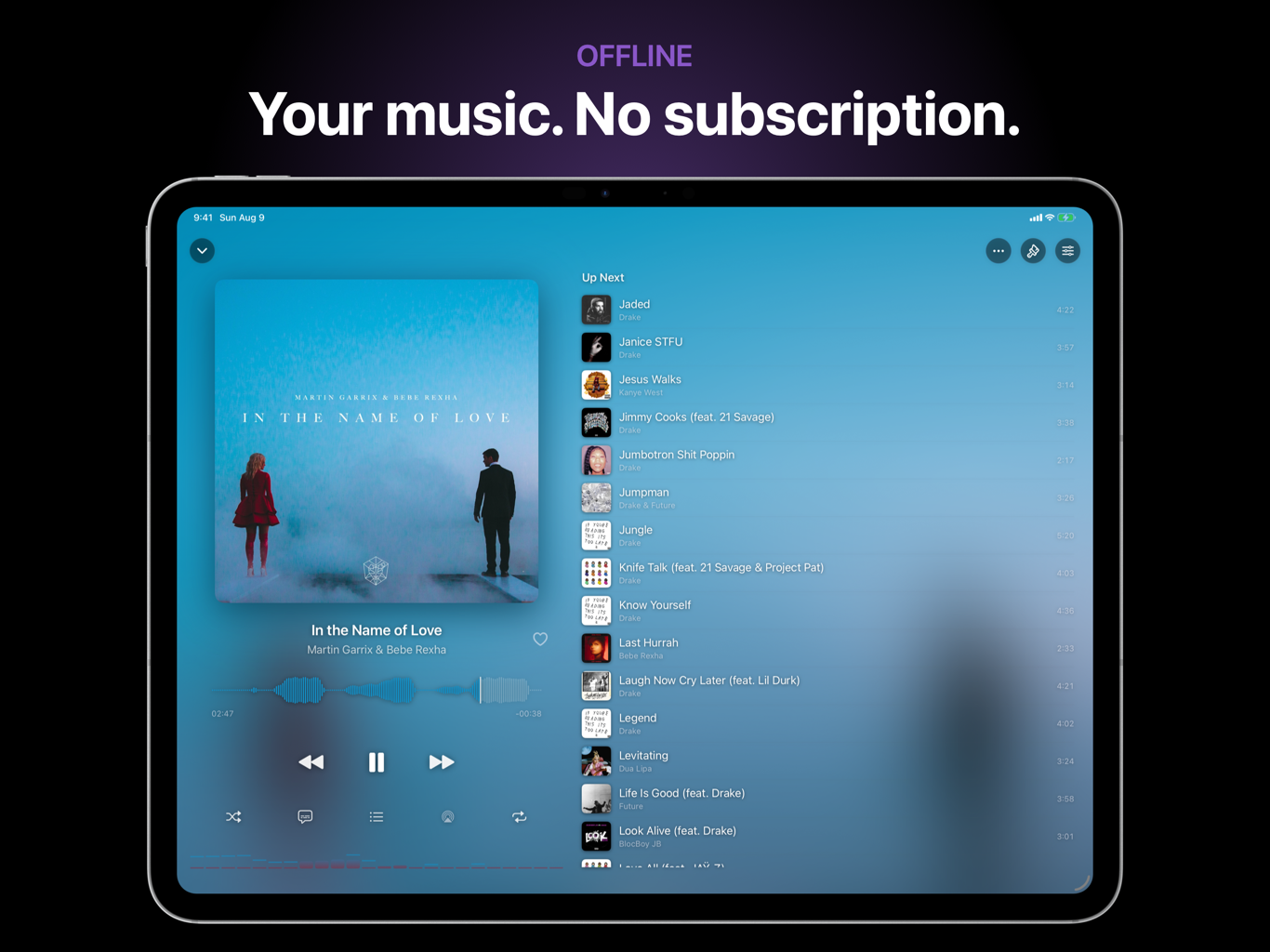
Now Playing and Up Next on iPad
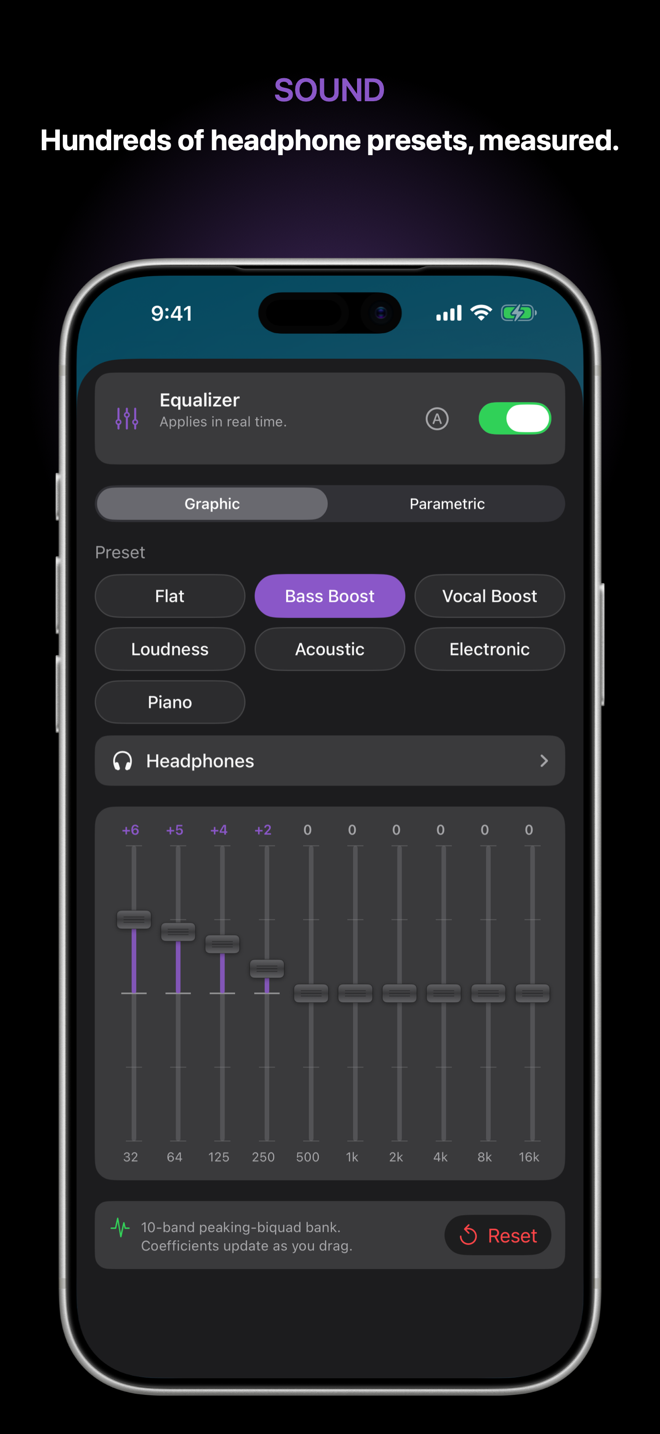
Equalizer on iPhone
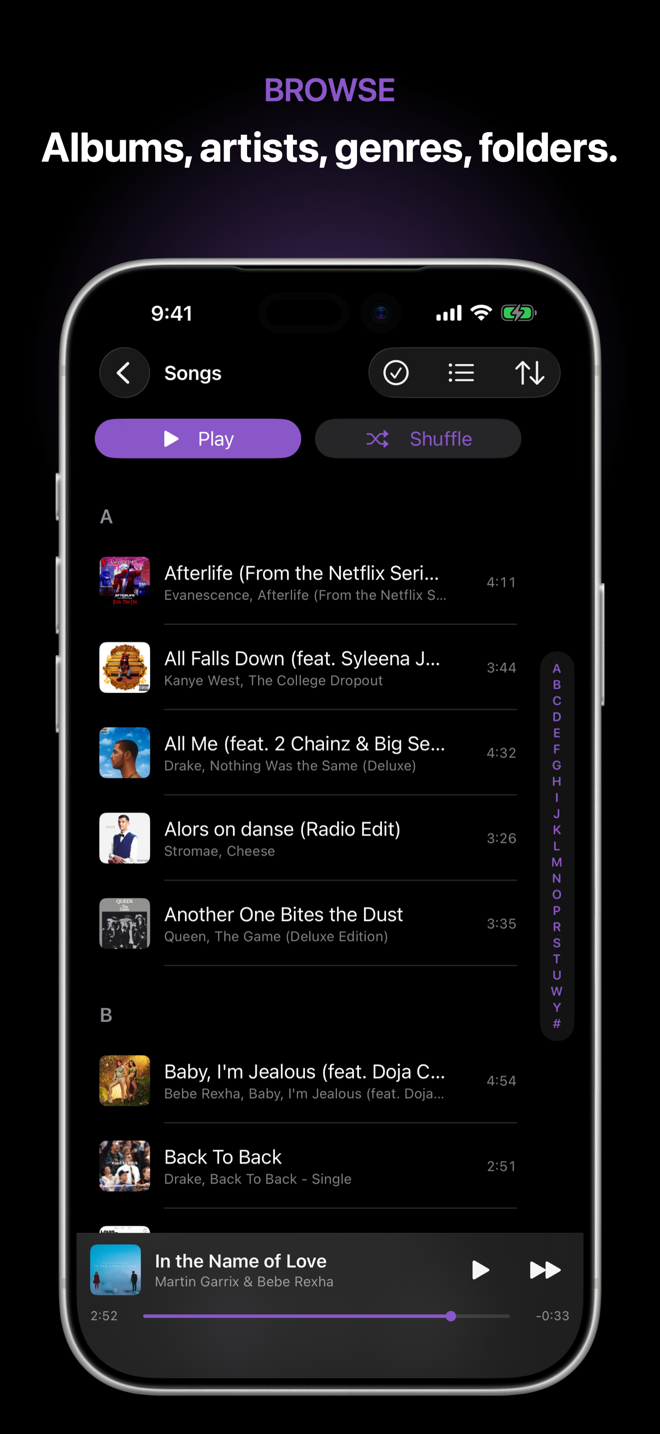
Library on iPhone
Wi-Fi Sharing on iPhone
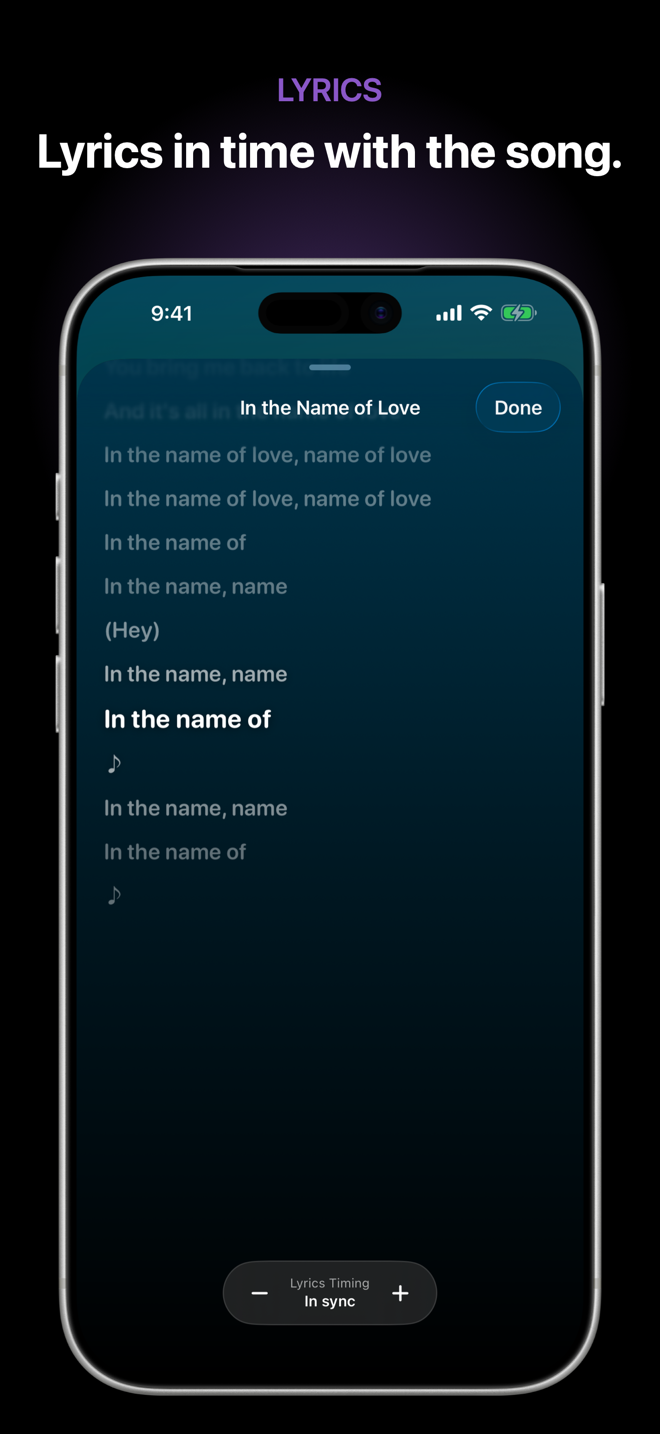
Synced lyrics on iPhone

Everything a personal library deserves.

Offline library

Browse by song, album, artist, genre, composer, folder, or playlist. Search everything instantly.

Sound, shaped your way

Graphic and parametric EQ, hundreds of measured headphone presets, ReplayGain, and crossfade.

Lyrics in time

Synced and unsynced lyrics, full-screen presentation, and a timing adjustment remembered per song.

Import without friction

Bring in folders from Files, AirDrop, Finder, a network server, or a private Wi-Fi upload page.

Smart playlists

Build playlists from rules, edit tags, find duplicates, rate favorites, and keep your queue in order.

Everywhere you listen

CarPlay, AirPlay 2, Lock Screen, Control Center, Dynamic Island, widgets, Siri, and Bluetooth controls.

The full feature list.

  • Broad format support: MP3, AAC, M4A, ALAC, FLAC, WAV, AIFF, and Opus.
  • Gapless playback: albums flow without unwanted silence.
  • Crossfade: adjustable transitions between songs.
  • ReplayGain: level out volume changes when tags are available.
  • Up Next: drag to reorder and swipe to remove.
  • True shuffle: Fisher-Yates ordering with repeat off, all, or one.
  • Sleep timer: fades gently before pausing.
  • Favorites and ratings: keep the music you love close.
  • Playlist artwork: automatic four-cover mosaics.
  • Smart playlists: live rules that keep themselves current.
  • Tag editor: correct your library without leaving the app.
  • Duplicate finder: identify repeated files before they clutter the library.
  • Listening history: revisit what you played.
  • Bookmarks: save a place inside long recordings.
  • Artwork tinting: Now Playing responds to the current cover.
  • Universal layout: designed separately for iPhone and iPad.

Version 1.0 is here.

What's New in 1.0
1.0
  • Offline library with browse, search, playlists, and smart playlists
  • Synced lyrics and a graphic plus parametric equalizer with headphone presets
  • Wi-Fi Sharing to upload music from any browser on your network
  • Gapless playback, crossfade, ReplayGain volume leveling, and sleep timer
  • Lock Screen, Dynamic Island, CarPlay, and AirPlay 2 controls
  • Universal support for iPhone and iPad

Common questions.

Does it stream music?

No. Corvus Music Player is for audio files you own. Once imported, your library works without an internet connection.

How do I add music?

Use Files, AirDrop, Finder file sharing, a network server, or Wi-Fi Sharing from any browser on the same network.

Does it collect data?

No. There is no account, analytics, telemetry, advertising, or tracking. Your library stays on your device.

Does it work with CarPlay and AirPlay?

Yes. The app supports CarPlay, AirPlay 2, Bluetooth and headphone controls, plus system playback controls.

What you need.

DevicesiPhone and iPad
SystemiOS 18 or later
MusicYour own audio files
AccountNot required

Take your music with you.

Your library, your sound, and your listening history stay yours.

View Corvus Music Player on the App Store