Corvus Display

Corvus Display Beta

Full brightness, color temperature, and resolution control for external and non-Apple displays. Hardware DDC where it is available, smooth software dimming everywhere else, all from your menu bar.

Free Download 14-day free trial · No credit card · macOS 14+ · Apple Silicon
Features

Control the displays macOS ignores

Brightness, Any Display

Dim or brighten external and non-Apple monitors that macOS normally locks. Hardware DDC control when the panel supports it, seamless software dimming when it does not.

Go Darker Than the Minimum

A gamma and overlay dimming layer takes the screen well below the panel's hardware floor for comfortable late-night brightness, without a washed-out backlight glow.

Color Temperature

Warm the screen for night, cool it for day. Smooth color temperature on every connected display, set independently per monitor, with Warm, Paper, and Dark-room tints.

Color Profiles

Assign any installed ICC color profile per display and switch between them in a click, so each monitor renders color exactly the way you want.

Resolution & HiDPI

Unlock crisp HiDPI scaling and resolutions your display can do but macOS hides, including retina-style modes on non-Apple panels.

Per-App Profiles

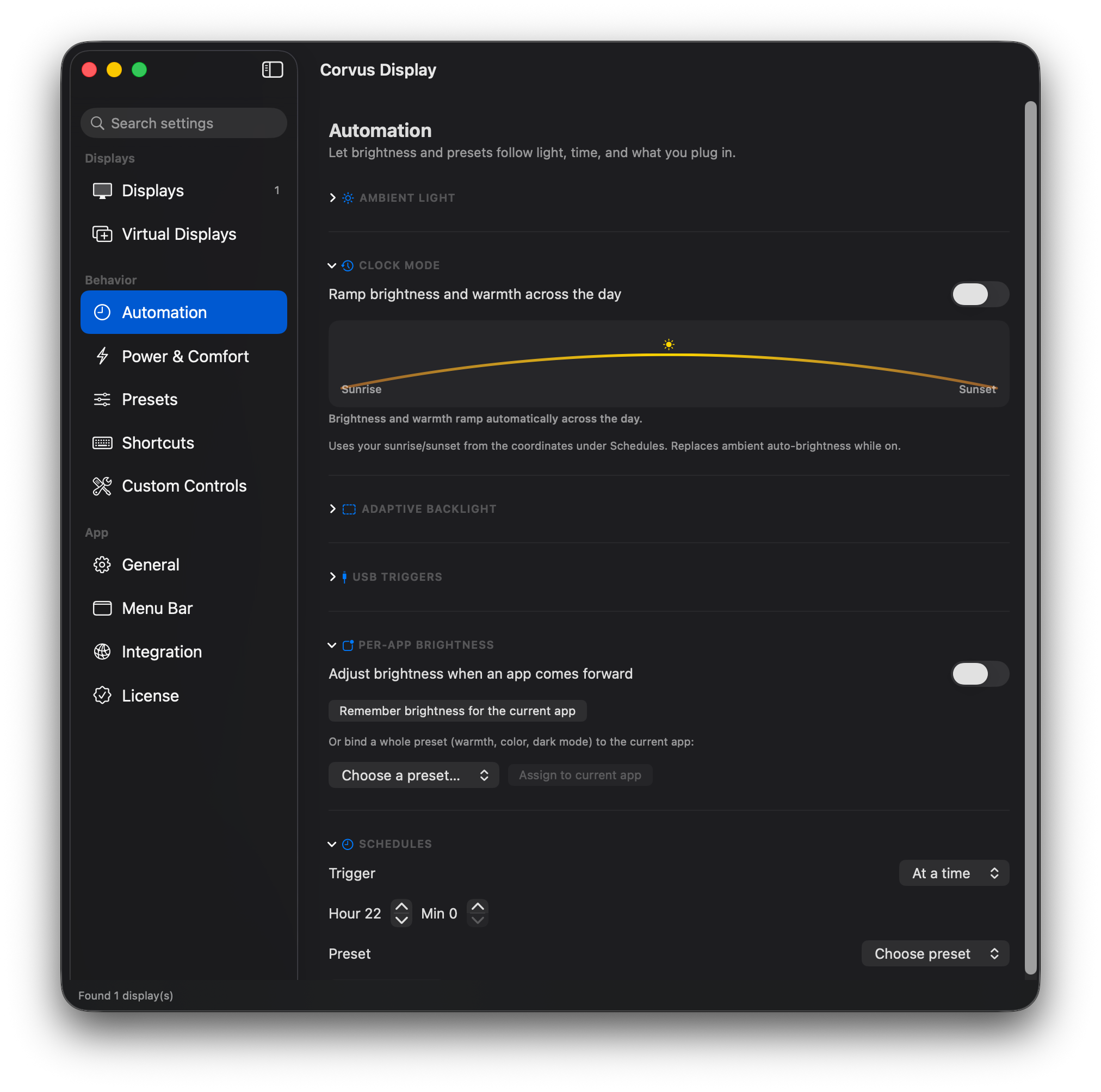
Bind a brightness level or a full preset to an app. Corvus Display applies it automatically the moment that app comes forward.

Presets

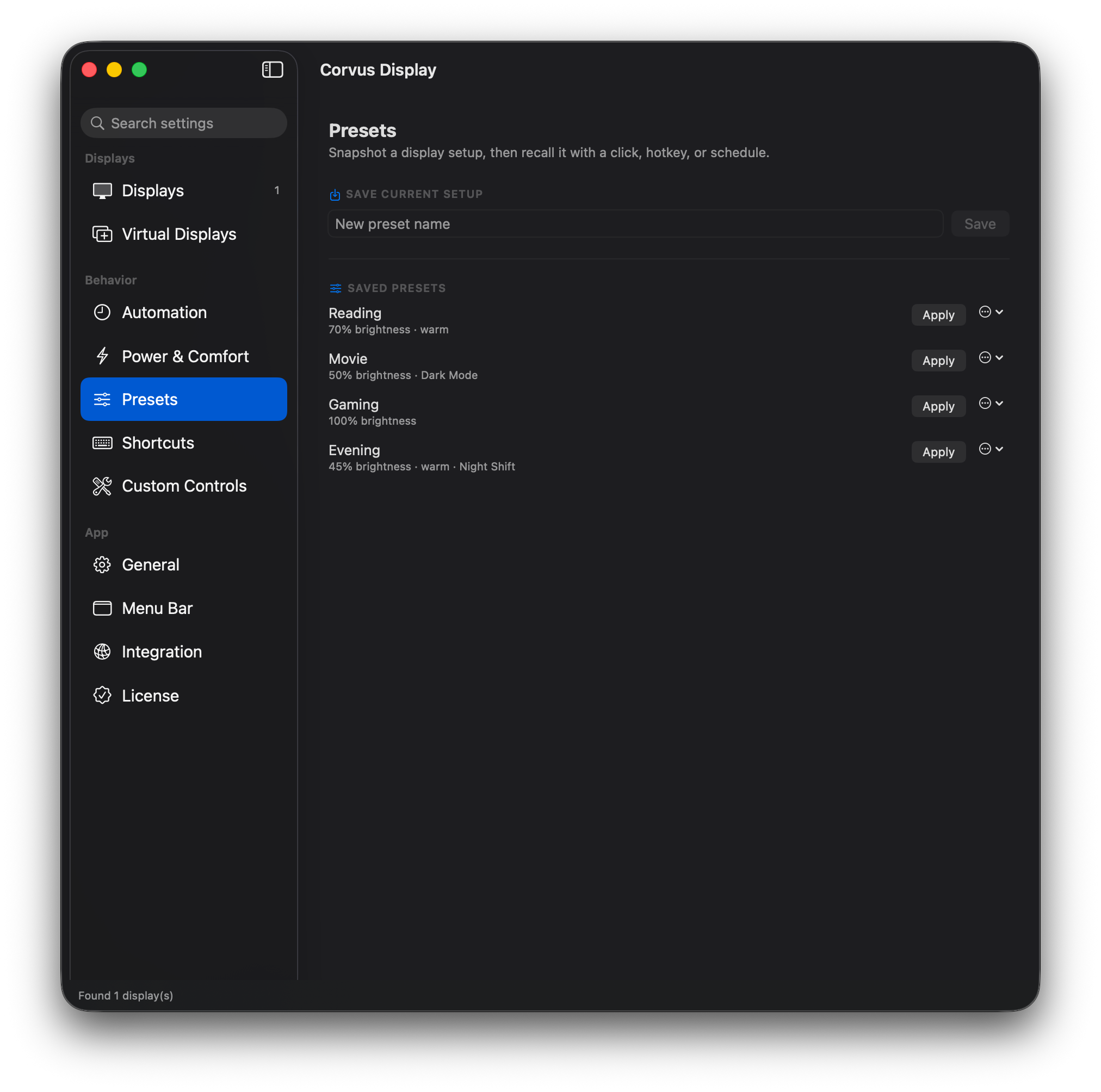
One click switches brightness, warmth, and color profile together. Ready-made Reading, Movie, Gaming, and Evening presets, plus your own.

Schedules & Clock Mode

Ramp brightness and warmth across the day from your sunrise and sunset, so the screen eases warmer and dimmer into the evening on its own.

Auto-Brightness

Follow the Mac's ambient light sensor, or adapt each display to its own on-screen content so dark and bright scenes stay comfortable.

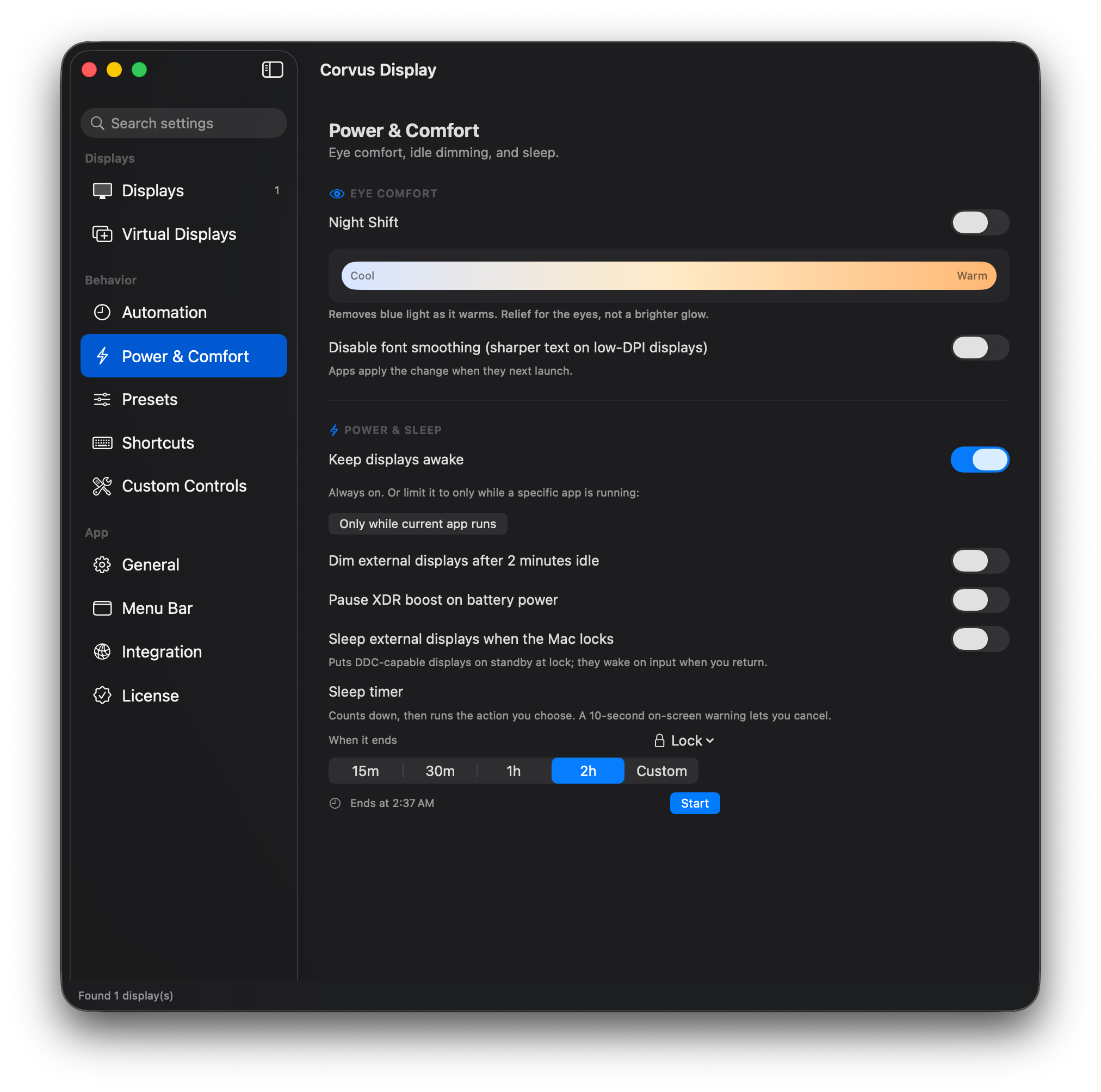
Keep awake

Stop the display from sleeping during long reads or presentations, optionally only while a chosen app is running.

Sleep timer

Send the screen, or the whole Mac, to sleep after a countdown, with lock, restart, and shut down options built in.

Multi-display & mirroring

Independent control for every monitor, mirroring with an automatic safety net, and a visual arrangement view for multi-display setups.

Night Shift & True Tone, in one place

Toggle and tune the system color features alongside Corvus Display's own warmth and a one-click Dark Mode switch.

Fix washed-out monitors

Force full RGB range and 8-bit color to correct the dull, grey look some displays show over HDMI and USB-C.

Hardware DDC controls

Drive the monitor's own contrast, volume, and input source over DDC, so you can switch inputs and tune the panel without its clunky on-screen buttons.

Black out and FaceLight

Blank a display you are not using to save power and distraction, or flood the screen with warm light for a flattering video call.

Menu bar, hotkeys, and media keys

Everything lives in the menu bar. Use global keyboard shortcuts, scroll on the menu-bar icon, or the brightness keys to drive external displays.

Shortcuts & automation

App Intents and a local control API let Shortcuts, scripts, and Stream Deck-style tools set brightness, presets, and more.

33 languages

Fully localized, with a built-in language picker. Right-to-left support for Arabic and Hebrew.

Private by design

No account, no telemetry, no tracking. Corvus Display runs entirely on your Mac and talks to nothing.

Screenshots

See it in action

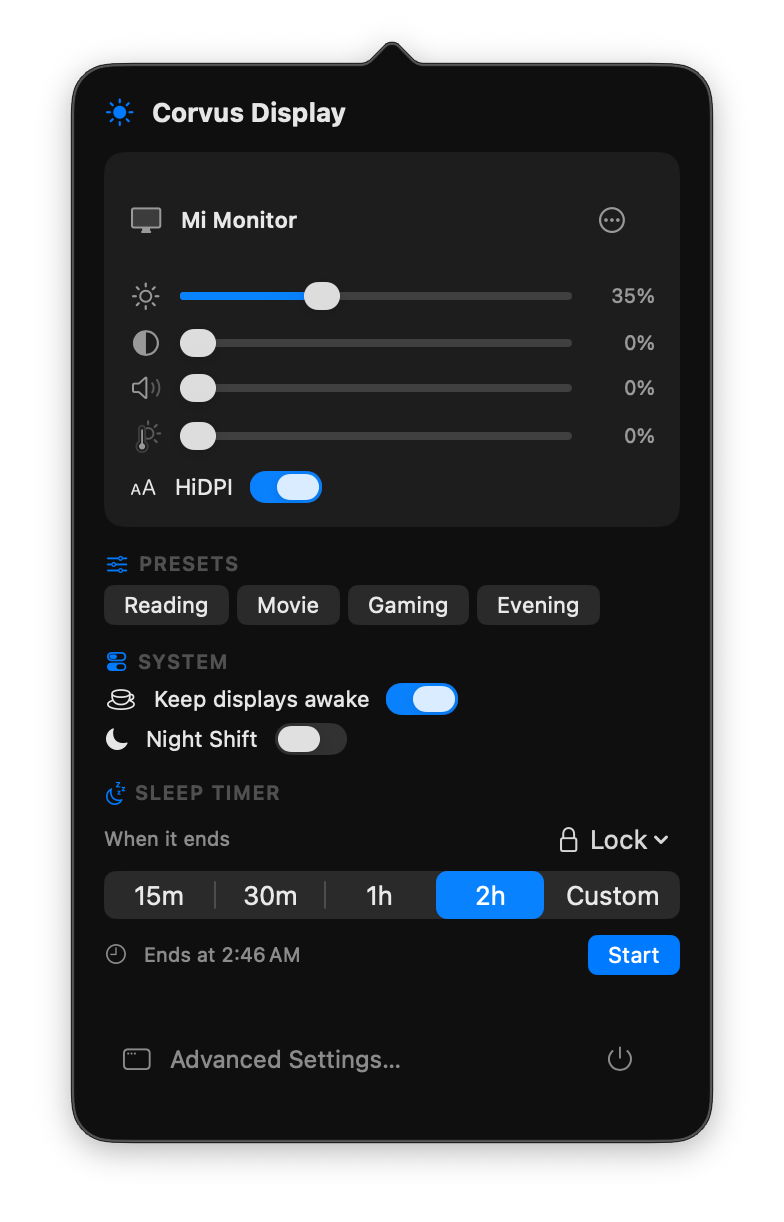
Corvus Display menu-bar popover

Every control, right from the menu bar.

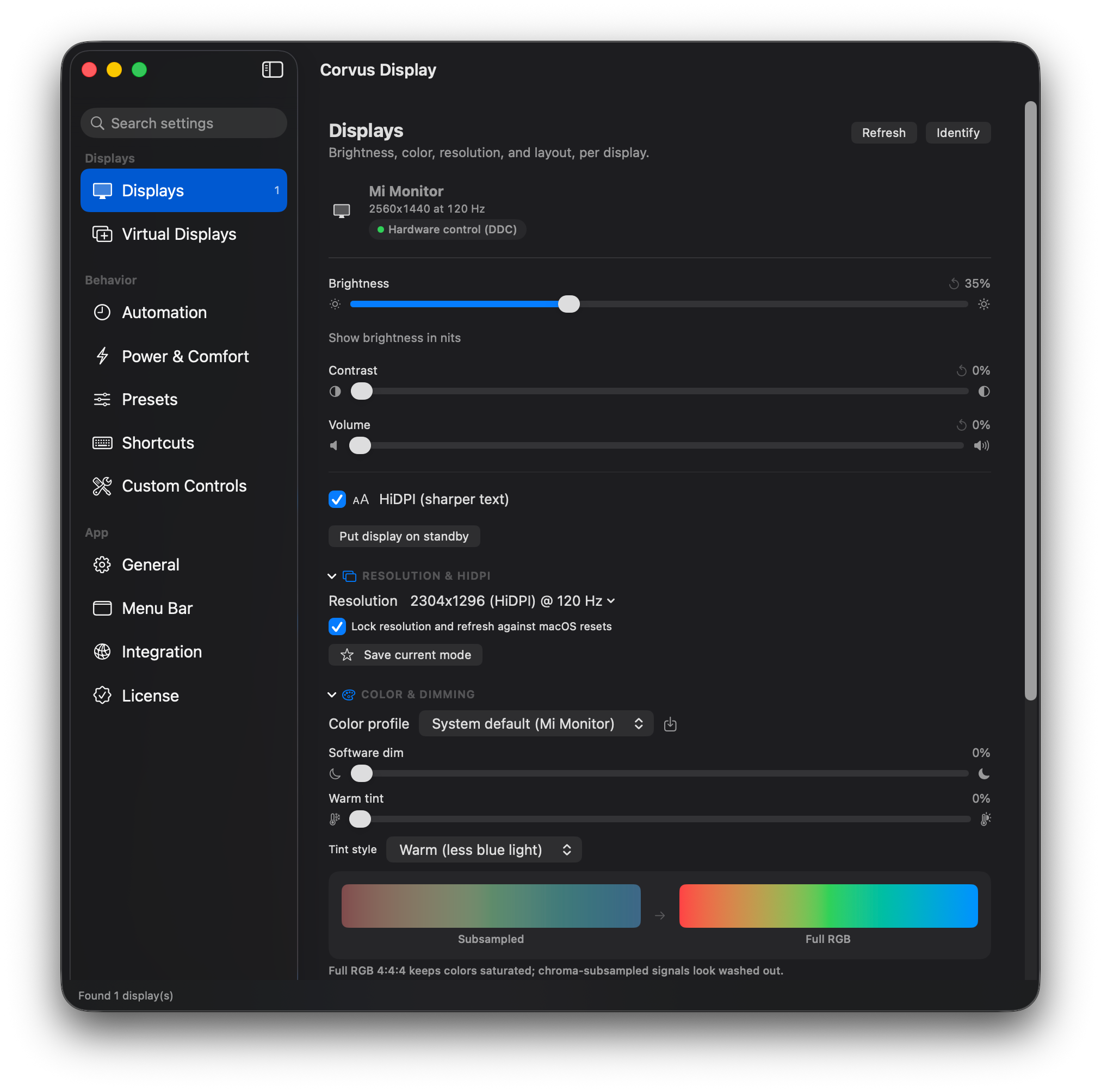
Per-display brightness, color, resolution and HiDPI control

Brightness, color, resolution and HiDPI, independently for every display.

Eye comfort and sleep timer
Eye-comfort warmth and a sleep timer with lock, restart, and shut down.
Sunrise to sunset automation
Sunrise to sunset brightness and warmth, plus per-app profiles.
One-click display presets
Save a setup once, recall it with a click, hotkey, or schedule.
Why Corvus Display

Apple-grade control for every screen

Made for non-Apple displays

macOS gives third-party monitors almost no control. Corvus Display brings brightness, color, and resolution adjustment to the displays Apple forgot.

Natively macOS

Built from the ground up in SwiftUI and AppKit. A real menu-bar app that feels like part of the system, not a cross-platform port.

Private by design

No account. No telemetry. No cloud. Your setup never leaves your Mac, and there is no server for us to watch you with.

Pricing

One price. Every feature.

14-Day Free Trial

Corvus Display

$6.99
One-time purchase · No subscription
or download the 14-day free trial

Requires macOS 14.0 Sonoma or later · Apple Silicon

🎉

Welcome to Corvus Display

Your license key is ready. Copy it and paste it into the app.