Ekual
Automatic loudness equalization for macOS. Quiet sounds up, loud sounds down — in real time.
14-day free trial · then one-time purchase
Automatic loudness equalization for macOS. Quiet sounds up, loud sounds down — in real time.
14-day free trial · then one-time purchase
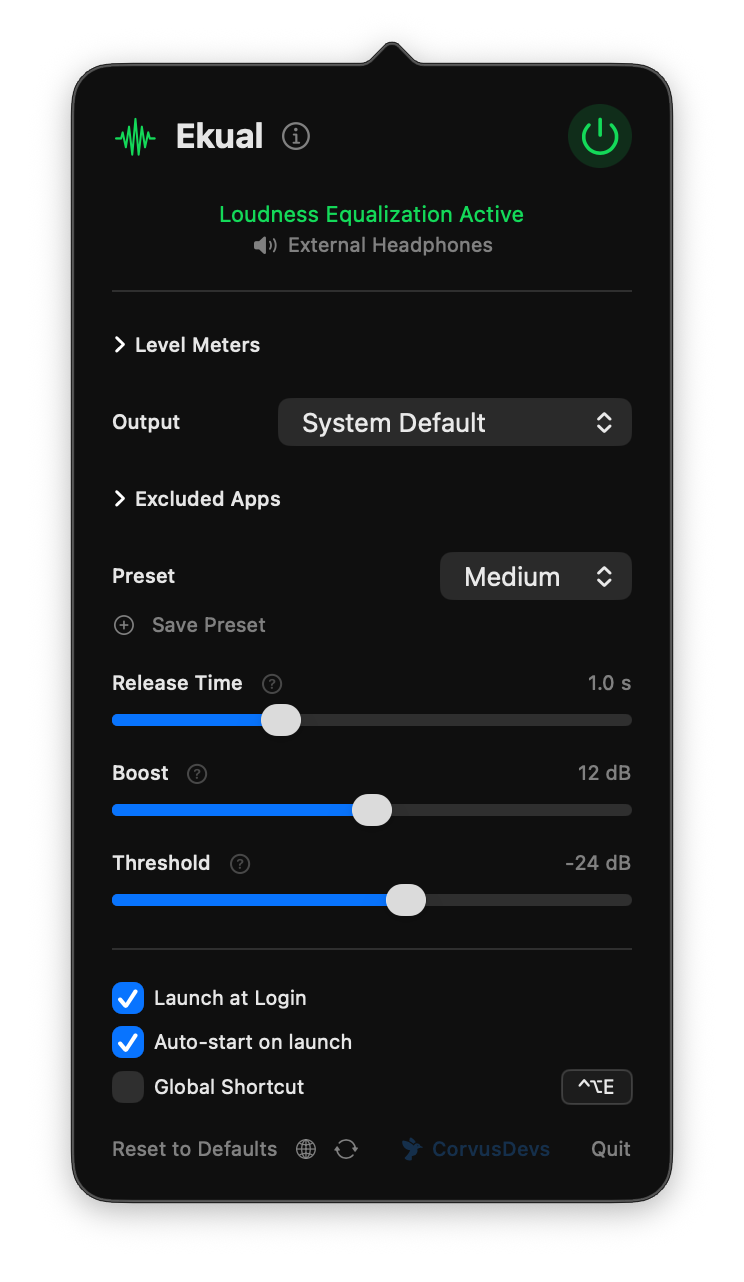
Clean, minimal interface
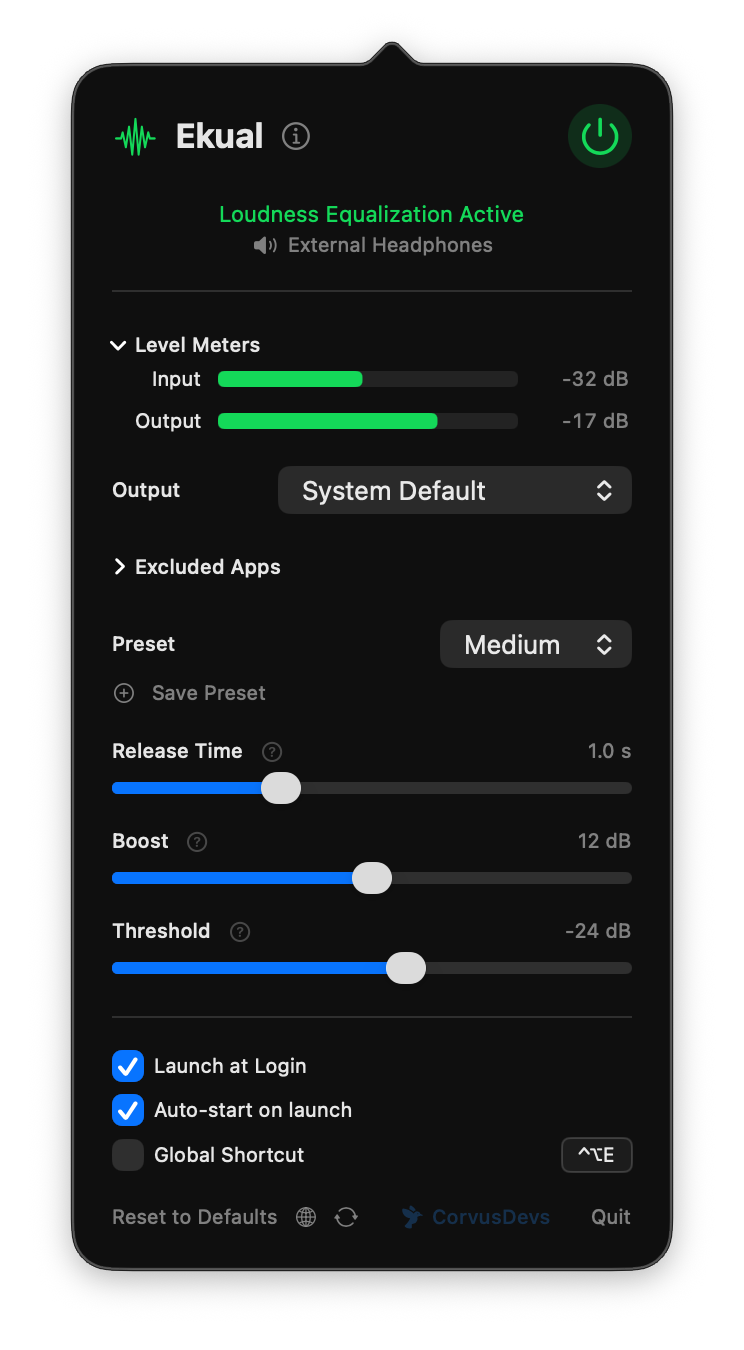
Real-time level meters
Features
Ekual runs silently in your menu bar and handles all the complexity for you.
Equalizes volume across all apps instantly. Movies, music, calls, games — all balanced automatically.
Engineered for efficiency. Runs at less than 1% CPU so you never notice it's there.
Light, Medium, Heavy — or create your own. Fine-tune release time, makeup gain, and target level.
Exclude specific apps from processing. Keep your music player untouched while equalizing everything else.
Toggle equalization on and off with a customizable keyboard shortcut from anywhere.
All audio processing happens locally on your Mac. No data leaves your device. Ever.
Switch between output devices on the fly. Ekual seamlessly follows your audio wherever it goes.
Full support for AirPods, Bluetooth headphones, and wireless speakers. Works with every audio device macOS recognizes.
Launches automatically at login and runs silently in the menu bar. Set it once, never think about it again.
Setup
Ekual lives in your menu bar. Grant audio permission once and you're ready to go.
Choose Light, Medium, or Heavy equalization — or dial in your own settings with the sliders.
Ekual starts with your Mac and works silently in the background. Consistent volume, zero effort.
Why Ekual
Every app, website, and media file is mastered at a different volume level. Your Mac doesn't fix this — but Ekual does.
You're watching a quiet dialogue scene, then an ad blasts at full volume. You switch from a podcast to a YouTube video and scramble for the volume keys. Different apps, different websites, different streaming services — they all output audio at wildly different levels. Without equalization, you're constantly adjusting volume by hand.
Ekual applies real-time dynamic range compression to your Mac's system audio. It monitors the loudness of the audio stream, brings quiet sounds up and loud sounds down to meet a consistent target level. The result: everything plays at a comfortable, even volume — whether it's a whisper-quiet video call or a booming action movie trailer.
Windows has included a "Loudness Equalization" option in its audio settings for over a decade. macOS has never offered this feature. Ekual fills that gap — giving Mac users the same volume consistency that Windows users have had for years, with a cleaner implementation and more control.
Requires macOS 14.2 or later.
Stop reaching for the volume keys.
14-day free trial · then one-time purchase